MagSafe Car Mounts: Do Magnetic Chargers Hold Up?
Magnetic phone mounts promise a clean dash and wireless charging, but do they actually grip on rough roads and keep your navigation powered? Here is the honest picture.

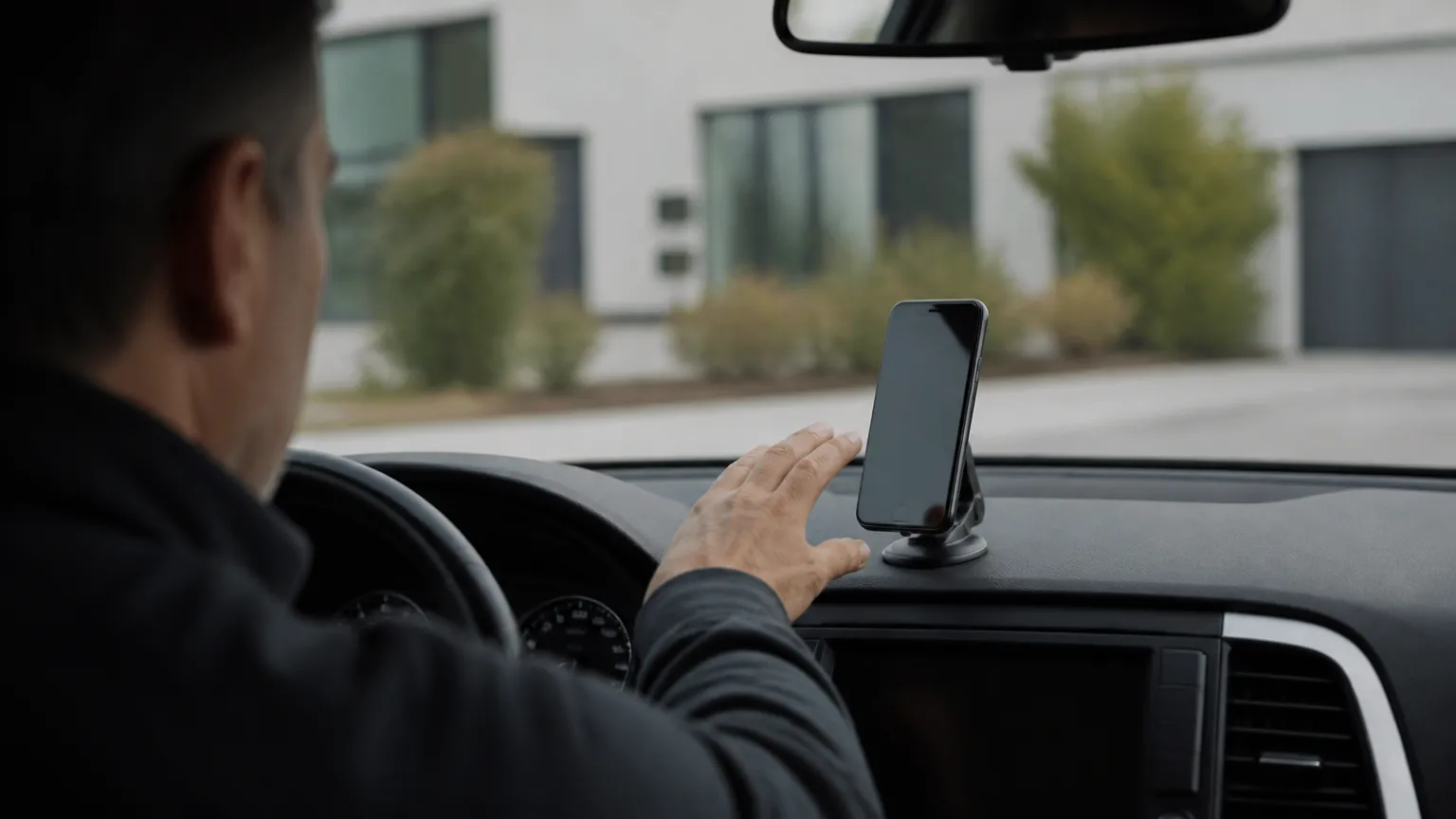
A good phone mount is one of those cheap upgrades that quietly makes driving less annoying. A magsafe car mount adds a twist: instead of clamping arms or a sticky pad, a ring of magnets inside the mount snaps onto the back of your phone and, in many cases, charges it wirelessly at the same time. It looks tidy and feels modern. The fair questions are whether the magnets hold on a pothole-strewn road, whether the charging keeps up with navigation, and whether your particular phone will even stick to one. Here is what these mounts actually do, what they cost to run, and where they fall short.
What "MagSafe" actually means
MagSafe is Apple's name for the ring of magnets built into the iPhone 12 and every model since. The magnets line up a wireless charging coil and let accessories clip on in a repeatable position. Apple's own MagSafe charging tops out at 15 watts (25 watts on some of the newest iPhones with compatible chargers), while a generic magnetic pad may only deliver 7.5 watts to an iPhone.
Android phones are a different story. Most do not have built-in charging magnets. The newer Qi2 standard adds a magnetic ring similar to MagSafe, and a handful of recent Android phones support it, but many do not. If you have a typical Android handset, you usually get the magnetic grip by sticking a thin metal ring to the back of the phone or its case. That works, but it is a workaround, and it can interfere with wireless charging if it is poorly placed.
So which phones fit?
- iPhone 12 and later: magnets are built in. A magnetic mount snaps on directly, no ring needed.
- Older iPhones (11 and earlier): no magnets. You need a MagSafe-compatible case or a stick-on metal ring, and these phones do not charge wirelessly at MagSafe speeds.
- Qi2 Android phones: a small but growing group with built-in magnets that behave like MagSafe.
- Most other Android phones: work with a stick-on metal ring for grip; wireless charging depends on whether the phone supports Qi at all.
- Thick or rugged cases: can weaken the magnetic hold and slow or block wireless charging. A gap of more than a few millimeters between coil and phone matters.
Do the magnets really grip?
For everyday driving on reasonable roads, a quality magnetic mount holds a bare iPhone or one in a MagSafe case very well. The pull is commonly reported as strong enough that the phone stays put through normal braking, cornering and the usual bumps. The weak points are predictable.
Heavy phones in bulky cases are the first problem. The bigger "Pro Max" style phones are heavy, and if you add a chunky case with a wallet on the back, you are asking a lot of the magnets. The second problem is a stick-on metal ring that is slightly off-center or peeling at the edges; that halves the effective grip. The third is vibration over rough surfaces, such as a badly maintained road or a gravel track, where a marginal hold can shuffle loose over time.
The honest summary: the magnetic connection is usually reliable for the phone itself. What is often less reliable is how the mount attaches to your car. A suction mount on a dashboard can let go on a hot day, and an air-vent clip can sag under a heavy phone. If your mount falls, it is almost always the car-side attachment failing, not the magnets.
Charging fast enough for navigation
This is where expectations need managing. Running turn-by-turn navigation with the screen at full brightness, especially with the display always on, can draw more power than a 7.5-watt wireless charger supplies. In that case the battery slowly drains even while "charging." A 15-watt MagSafe charger usually keeps pace or gains a little, but wireless charging is less efficient than a cable and produces more heat.
Heat is the quiet enemy. Wireless charging in a car parked in the sun, with navigation running, can push the phone warm enough that it throttles charging to protect the battery. Phones commonly slow charging once the battery passes roughly 35°C (95°F). So on a hot day, your "fast" wireless mount may deliver far less than its rated watts.
For reliable power on a long drive, a cable into a magnetic mount that passes power through is still the most dependable option, or simply a plain magnetic holder plus a cable. If you only use navigation for short hops, wireless top-ups are fine.
Running costs and the 12-volt question
Charging a phone in the car costs almost nothing, but it is worth understanding where the power comes from. A magnetic wireless mount draws from your car's 12-volt system through a USB adapter in the power socket. While the engine runs, the alternator covers it easily. The only real caution is charging with the engine off, which draws on the battery and, done repeatedly, can leave you with a flat battery.
If you ever want to compare the cost of charging gadgets at home versus in the car, the sums are small. Say your phone battery is about 15 watt-hours and you top it up fully. At a US rate of about 17 cents per kWh, that is 0.015 kWh × $0.17, which is roughly a quarter of a cent. In the UK at about 25p per kWh it is around 0.4 pence, and in Australia at roughly 30 cents per kWh it is about half a cent. Electricity prices differ by country, but the point stands: phone charging is never the expensive part. If running costs interest you more broadly, our look at whether smart plugs actually save money runs through the same kind of math for household gear.
Mains voltage and plug differences
The USB adapter in your car is low-voltage and the same wherever you live, so a mount bought in the US works fine in the UK or Australia. The difference only appears if the mount comes with a mains wall charger in the box: the US runs on about 120 volts, while the UK and Australia run on roughly 230 to 240 volts, with different plug shapes. Check that any included wall plug matches your country, or just use the car adapter you already have.
Comparing the common mount types
| Mount type | Typical price (USD) | Charging | Grip and notes |
|---|---|---|---|
| Magnetic, no charging | $15 to $30 | None (use a cable) | Strongest, simplest, lightest; nothing to overheat |
| Magnetic wireless, 7.5W | $25 to $45 | Slow; may lose ground during navigation | Fine for short trips; cheaper brands vary |
| Magnetic wireless, 15W | $40 to $80 | Keeps up with most navigation | Needs a higher-output USB adapter to hit full speed |
| Clamp or spring mount | $15 to $40 | Optional wired or wireless | Holds any phone; bulkier, slower to grab |
Prices are approximate and shift with sales. The jump to a 15-watt wireless mount only pays off if your USB adapter can actually supply enough power; many older car adapters cannot, so you may need a newer one rated for it.
Fitting it safely, and where to put it
- Keep your view clear. In the UK and Australia, anything that obstructs the driver's view can fail a roadworthiness check (MOT in the UK, a state inspection or registration check in Australia). In the US, several states restrict windshield-mounted devices by law. Mounting low on the dash or on a vent is usually safer and more legal than high on the glass.
- Do not handle the phone while driving. Set your route before you move off. The mount is for glancing, not tapping.
- Mind the heat. Do not leave a phone charging on the mount in direct sun with the car parked. Lithium batteries dislike sustained heat.
- Watch the vents. A vent-mounted charger blocking a hot air vent can cook both your phone and the mount in summer.
- Check airbag zones. Never mount anything where it could become a projectile if the passenger airbag deploys.
If you are also upgrading how your phone talks to the car, it is worth reading our guide to whether wireless CarPlay adapters are worth buying, since a magnetic mount and wireless CarPlay are often bought together. And if your dashboard warning lights start behaving oddly after adding electrical accessories, that is unrelated to the mount, but our piece on what to do when the engine warning light comes on explains when a light means stop and get professional help.
The short version
- The magnets grip well for most phones; mount failures usually come from the car-side attachment, not the magnets.
- Built-in magnets are standard on iPhone 12 and later and on a few Qi2 Android phones; other Android phones need a stick-on ring.
- 7.5-watt wireless charging can lose ground while running navigation; 15 watts usually keeps up, but heat slows both.
- Charging costs are trivial, around a quarter of a cent per top-up in the US; the real risk is a flat battery from charging with the engine off.
- Mount low and clear of your view, mind airbag zones, and never tap the screen while driving.
Daniel Hart
Editor, Car & Garage · Columbus, Ohio
Daniel edits the Car & Garage section. He writes about the plug-in scanners, dash cams and chargers that help drivers understand their cars and avoid unnecessary repair bills, and he is clear about when a professional mechanic is still the right call.
Keep reading

NOCO GB40 Review: The Pocket Jump Starter Worth Its Price?
Our NOCO GB40 review weighs up the maker's claims against what owners actually report, so you know if this compact jump starter belongs in your glovebox.
Wireless CarPlay Adapters: Are They Worth Buying?
A wireless CarPlay adapter frees you from the cable, but there are real trade-offs in lag, heat and battery drain. Here is what to expect before you buy.
What Is an OBD2 Scanner, and Do You Actually Need One?
That little socket under your dashboard can tell you why the check engine light is on. Here's what a scanner reads, what it costs, and who really benefits.
Comments
No comments yet. Share your experience or ask a question.