Wireless CarPlay Adapters: Are They Worth Buying?
A wireless CarPlay adapter frees you from the cable, but there are real trade-offs in lag, heat and battery drain. Here is what to expect before you buy.

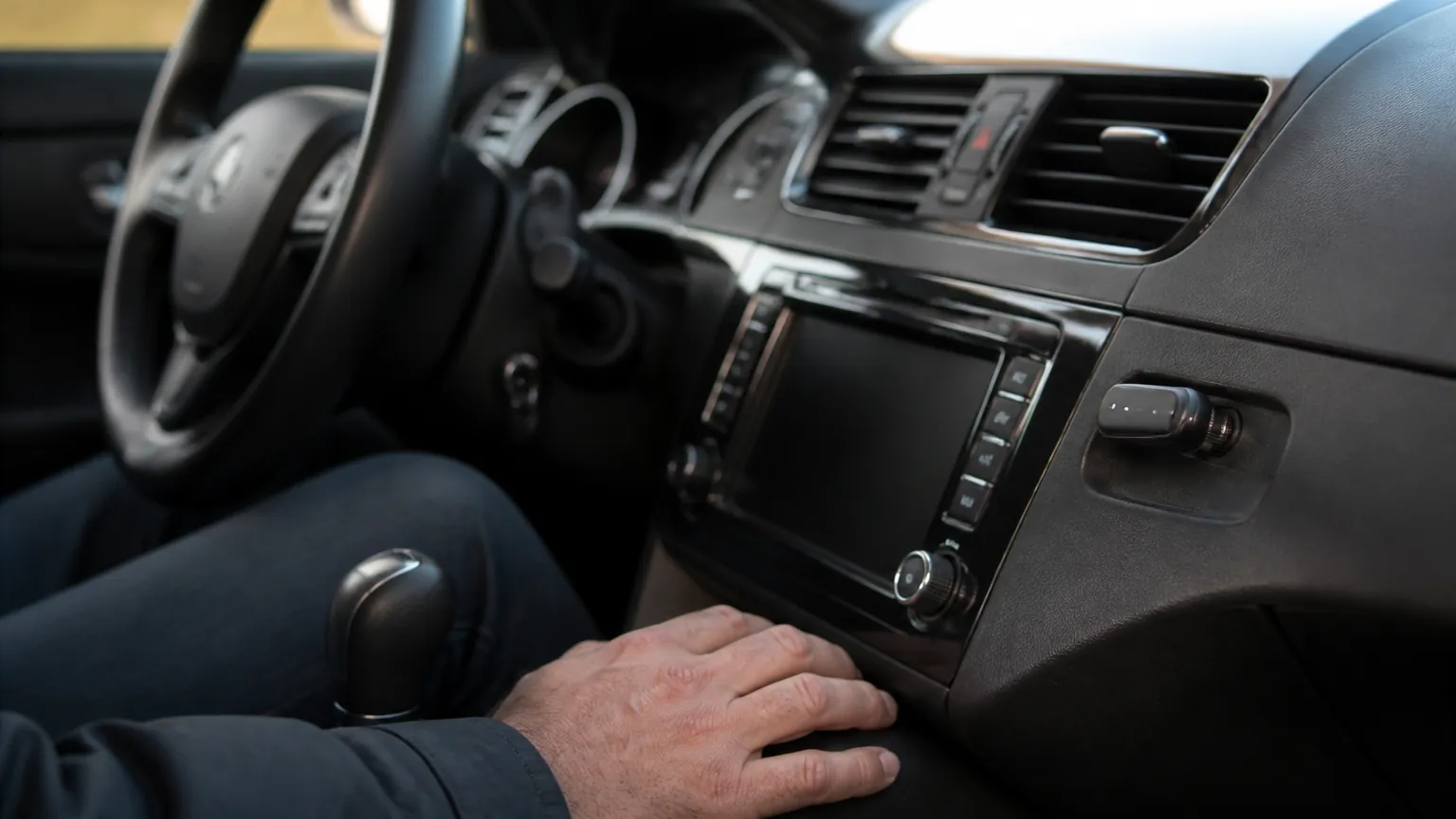
If your car has CarPlay but you still have to plug your phone in with a cable every single time, a wireless CarPlay adapter is the small gadget that promises to cut the cord. You leave the phone in your pocket or bag, start the car, and after a short wait the familiar CarPlay screen appears on your dashboard. These adapters have become a popular cold-weather upgrade, partly because nobody enjoys fishing a frozen cable out of a cup holder with gloves on. But they are not magic, and the experience ranges from genuinely convenient to frustrating depending on your car and phone. This guide explains how these adapters work, who actually benefits, and the connection and lag trade-offs you should expect before spending money.
What a wireless CarPlay adapter actually does
Most cars built before roughly 2021, and plenty built since, support wired CarPlay only. You connect an iPhone to the car's USB port with a Lightning or USB-C cable, and the car's screen mirrors Apple Maps, music, messages and phone calls. A wireless CarPlay adapter is a small dongle, usually about the size of a matchbox, that plugs into that same USB port and stays there permanently.
Once it is installed, the adapter does two jobs at once. It connects to your car over the wired CarPlay link, pretending to be a plugged-in iPhone. Then it connects to your real iPhone over Bluetooth and Wi-Fi. Bluetooth handles the initial handshake and some audio; a short-range Wi-Fi connection (commonly in the 5 GHz band) carries the heavier data for the screen and maps. Your phone thinks it is talking to a wireless CarPlay car; your car thinks a phone is plugged in. The adapter sits in the middle and translates.
That middleman role matters, because every bit of lag or dropout has to pass through an extra device. When the system works well, you forget the adapter is there. When it struggles, you notice.
Android users: a quick note
The equivalent for Android Auto exists too, and the principle is identical. Some adapters handle only CarPlay, some only Android Auto, and some claim to do both. If you switch phone platforms or share the car with someone who uses the other system, check this before buying rather than assuming.
Who actually benefits
These adapters are not for everyone. They make the most sense if several of the following apply to you:
- Your car supports wired CarPlay but not wireless, and you use CarPlay on most drives.
- You take lots of short trips, so plugging and unplugging the cable several times a day is a genuine nuisance.
- Your USB port is awkward to reach, or the cable has started to wear and drop the connection.
- You like to keep your phone in a bag or pocket rather than on a mount.
They make less sense if you already have wireless CarPlay built in, if you only drive occasionally, or if you prefer to keep the phone charging on a cable anyway during long drives. One quiet downside of going wireless: your phone no longer charges through that cable, so on a two-hour trip running maps and music over Wi-Fi, the battery can drain noticeably. Many people end up adding a separate charging cable or a wireless charging pad, which partly undoes the tidiness the adapter was meant to deliver.
The trade-offs: lag, connection and heat
This is the honest part. A wired connection is simply more reliable than a wireless one, and adding an adapter introduces points where things can go wrong. Here is what is commonly reported by owners, framed honestly rather than as tested figures.
Startup delay
With a cable, CarPlay usually appears within a few seconds of starting the car. With an adapter, the connection has to re-establish over Bluetooth and Wi-Fi each time. Owners commonly report a wait of around 15 to 60 seconds before CarPlay loads. If you often pull out of the driveway and immediately need directions, that pause can be irritating.
Lag and stutter
Day to day, a good adapter in a compatible car feels close to wired. But some users report occasional stutter in maps, a short delay when skipping tracks, or audio that briefly drops during podcasts and calls. Cheaper adapters and older phones tend to show this more. It is rarely constant, but it is rarely zero either.
Heat
These dongles work hard and can get warm. In hot climates, a sealed dongle sitting in direct sun on a dashboard can overheat and disconnect. If you live somewhere that regularly tops 35°C (95°F), consider routing the adapter to a shaded spot with a short USB extension rather than leaving it baking on the dash.
Firmware and updates
Because the adapter is effectively a tiny computer, it needs firmware updates to stay compatible with new iPhone software. Some brands update regularly; some go quiet after a year. A new iPhone operating system version has, in the past, temporarily broken wireless connections until the adapter maker caught up. This is worth knowing if you update your phone the day new software lands.
Cost, power and what you are really paying for
Prices range from around $25 to $120. The cheapest units often use older, slower chips and are the ones most associated with lag complaints. Mid-range adapters, roughly $50 to $90, tend to be the sweet spot for a stable connection. Spending more than that mostly buys faster startup and better build, not a different core function.
Running cost is almost nothing. The adapter draws power from the car's USB port, typically well under 5 watts, and only while the car is on. There is no separate bill to worry about, and no mains electricity involved, so the country-by-country electricity price differences that matter for home gadgets (roughly 17 US cents per kWh in the US, about 25p in the UK, and around 30 Australian cents) are not a factor here. The real "cost" is your phone's battery, as noted above.
| Factor | Wired CarPlay (cable) | Wireless CarPlay adapter |
|---|---|---|
| Upfront cost | Cable only, around $10 to $25 | Around $25 to $120 |
| Time to connect | A few seconds | Around 15 to 60 seconds, commonly reported |
| Phone charging | Yes, charges while connected | No, phone drains unless charged separately |
| Connection reliability | Very stable | Mostly stable, occasional dropouts reported |
| Convenience | Must plug in each time | Phone stays in pocket or bag |
| Hot-climate risk | None | Can overheat in direct sun above about 35°C/95°F |
Buying and fitting notes across countries
CarPlay itself works the same wherever you drive, so there are no regional voltage or plug-type issues with the adapter: it runs off the car's own USB port, not the mains. The practical differences are about the cars sold in each market. In the US, the UK and Australia alike, many mainstream models from the mid-2010s onward offer wired CarPlay as standard, but wireless built-in support varies by trim and year, so check your car's manual before buying an adapter you do not need.
One safety and legal point worth stating plainly: handling your phone while driving is illegal in the UK, across Australian states and in most of the US, and the rules apply whether CarPlay is wired or wireless. An adapter does not change that. Set your destination before you move off. If CarPlay drops out mid-drive, do not fiddle with the dongle or your phone while moving; pull over safely first. And if your car's screen, reversing camera or controls behave strangely after fitting an adapter, unplug it and see whether the fault clears. Persistent dashboard glitches that affect safety systems are a reason to stop using the adapter and, if the problem continues without it, to have the car checked by a professional.
If you are weighing up other car gadgets at the same time, our guide on how a cheap scanner can help when buying a used car is a useful companion, and if you are tidying up your gear more broadly you might like our look at whether smart plugs actually save money. For travel tech with similar "convenient but imperfect" trade-offs, see our piece on how luggage trackers work and where they fall short.
The short version
- A wireless CarPlay adapter plugs into your car's USB port and bridges wired CarPlay to your phone over Bluetooth and Wi-Fi, so you can leave the cable behind.
- It is best for people who make frequent short trips in a car with wired-only CarPlay and an awkward USB port.
- Expect a startup wait of roughly 15 to 60 seconds and the occasional dropout; a mid-range unit around $50 to $90 tends to be more stable than the cheapest options.
- Your phone no longer charges through that port, so plan a separate charging cable or pad for long drives, and keep the dongle out of direct sun in hot climates.
- Driving laws on handling your phone still apply; set your route before moving, and stop using the adapter if it causes any dashboard or safety-system glitches.
Daniel Hart
Editor, Car & Garage · Columbus, Ohio
Daniel edits the Car & Garage section. He writes about the plug-in scanners, dash cams and chargers that help drivers understand their cars and avoid unnecessary repair bills, and he is clear about when a professional mechanic is still the right call.
Keep reading
What Is an OBD2 Scanner, and Do You Actually Need One?
That little socket under your dashboard can tell you why the check engine light is on. Here's what a scanner reads, what it costs, and who really benefits.
Hidden Car Features: What 'Coding' Can Unlock on VW, Audi and BMW
Many German cars ship with features switched off in software. Here is what coding through the OBD port can turn on, and the risks worth knowing first.
Engine Warning Light On? What to Do in the First 10 Minutes
The engine warning light just came on. Here is how to tell a loose fuel cap from a problem that means stopping the car right now.
Comments
No comments yet. Share your experience or ask a question.