Replacement Battery Guide: Repair or Replace Your Device?
A fading phone, drill or doorbell doesn't always mean buying new. Here's how to work out when a fresh battery pays off and when it quietly doesn't.


Nearly everything you own with a battery will one day hold less charge than it did when it was new. Your phone makes it to lunchtime instead of bedtime. The cordless drill fades halfway through flat-pack furniture. The wireless doorbell wants charging every few weeks instead of every few months. The good news is that a replacement battery is often far cheaper than a whole new device, and fitting one keeps a perfectly good gadget out of the bin. The catch is that it is not always the right call, and some batteries are genuinely not worth touching. This guide walks you through the numbers and the safety points so you can decide with your eyes open.
First, is the battery actually the problem?
Before you spend a cent, make sure you are chasing the right fault. A device that suddenly shuts down, runs hot, or refuses to turn on may have a battery issue, but it may also have a worn charging port, a failing cable, or software quietly draining it in the background.
A few quick checks cost nothing:
- Try a different cable and charger. Frayed cables and tired chargers mimic battery faults surprisingly well.
- Check the battery health screen. Most phones show a maximum capacity figure. Below about 80 percent, most people start noticing shorter days. Many laptops and some tablets report a similar figure in their settings.
- Watch for swelling. If a phone screen is lifting, a laptop case is bowing, or a battery pack feels puffy, stop using it. A swollen lithium battery is a fire risk and should be dealt with carefully, not charged or pierced.
- Look at the age. Lithium batteries commonly last 2 to 4 years of daily use before capacity drops noticeably. If yours is newer than that, the fault may lie elsewhere.
If the battery is the clear culprit, then it is worth working out the money.
The money: when a replacement battery pays off
The rule of thumb many repairers use is simple. If the battery costs less than roughly a third of the price of a sensible replacement device, and the rest of the gadget is in good shape, replacing the battery is usually the thrifty choice. Below that line you are extending a device you already own for a small fraction of buying new.
Prices vary by brand, country and whether you fit it yourself, but here are realistic ranges to anchor your thinking.
| Device | Replacement battery (parts) | Typical professional fit | Cost of a new device | Usually worth it? |
|---|---|---|---|---|
| Smartphone (3 to 4 years old) | $20 to $60 | $50 to $110 total | $400 to $1,200 | Yes, if the phone still does what you need |
| Laptop | $40 to $120 | $90 to $200 total | $500 to $1,500 | Often yes, unless it is very slow |
| Cordless drill battery (18V/20V) | $40 to $100 each | n/a (clips in) | $120 to $300 for a new kit | Yes, if you own more tools on that system |
| Electric toothbrush | $5 to $15 part, fiddly | Rarely offered | $30 to $120 | Usually no |
| Wireless earbuds | Often not replaceable | Rarely offered | $50 to $250 | Usually no |
| Smart doorbell / security camera | $20 to $45 | DIY clip-in | $60 to $200 | Often yes |
The pattern is clear. The more the device costs new, and the easier the battery is to get at, the more sense a swap makes. Tiny sealed gadgets like earbuds and many fitness trackers are built as if the battery and the device are one thing, so replacement is rarely practical.
A quick word on running costs
People sometimes worry that an older device with a tired battery is "wasting" electricity. For small gadgets the charging cost is tiny. Say a phone battery holds about 15 watt-hours, or 0.015 kWh, and you charge it once a day. Over a year that is roughly 5.5 kWh. At about 17 US cents per kWh that is under a dollar a year; at around 25p in the UK or about 30 Australian cents it is still only a pound or two. A fresh battery will not noticeably change your power bill. The real saving is in not buying a new device. If you are curious how these sums work on bigger items, our heated blanket cost per hour guide shows the method on something that actually moves the meter.
Phones, laptops and tablets
These are where a replacement battery saves the most money, because the devices are expensive and otherwise fine for years. A three-year-old phone with a new battery often feels close to new for everyday use.
Your options, roughly from cheapest to safest:
- Manufacturer or authorized repair. Costs more but keeps any warranty intact and uses a genuine part. Best for phones still under warranty or on a payment plan.
- Independent repair shop. Usually cheaper and quick. Ask whether the part is genuine or a quality third-party cell, and whether water resistance is restored, as the seal is often broken during the job.
- Do it yourself. Kits exist with tools and guides. This is realistic for some laptops and older phones, but modern phones are glued shut and heat-sensitive. One slip can pierce the battery. If that worries you, pay someone.
Battery replaceability is also worth weighing up before you buy your next device. Sealed products that cannot be opened at home will eventually become disposable. Our honest looks at the 2024 Kindle Paperwhite and the Oura Ring both touch on how a non-replaceable battery sets a quiet expiry date on an otherwise lovely gadget.
Power tools and garden gear
Cordless tools are a happier story, because the battery is designed to clip out. A tired drill or trimmer usually just needs a new pack rather than a new tool. The sensible move is to stay on one brand's battery system so your packs fit several tools.
A few pointers:
- Match the voltage and chemistry. An 18V or 20V lithium pack must match the tool. Mixing old nickel-based packs with newer lithium tools is not safe.
- Higher amp-hours mean longer runtime, not more power. A 4.0Ah pack runs roughly twice as long as a 2.0Ah pack of the same voltage, but weighs more.
- Be wary of very cheap unbranded packs. Low-quality cells can overheat. Look for a recognized safety mark: UL in the US, UKCA or CE in the UK and Europe, and the regulatory compliance mark in Australia.
Smart home gadgets and wearables
Battery doorbells and cameras often use a removable rechargeable pack that clips out for charging, so a worn one is cheap and easy to replace at home. Our reviews of the Ring Video Doorbell Battery 2K Plus and the Blink Outdoor 4 go into how these systems handle battery life day to day. Wearables are the opposite end: most fitness bands and smartwatches are sealed, and replacement is rarely offered, so battery life should weigh heavily in your buying decision.
Disposing of old batteries safely
Never put lithium batteries in household rubbish or ordinary recycling. Crushed in a truck, they can catch fire. Take them to a battery drop-off point: many supermarkets, hardware stores and recycling centers accept them. In the US, retailers and municipal programs handle them; in the UK, shops selling batteries above a certain volume must take them back; in Australia, the B-cycle scheme runs drop-off points nationwide. Tape over the terminals of loose batteries, and never charge a swollen one.
The short version
- Rule out the cable, charger and software before blaming the battery.
- A replacement battery is usually worth it if it costs under a third of a new device and the gadget is otherwise fine.
- Phones, laptops and cordless tools are the big wins; sealed earbuds and most wearables rarely are.
- Stop using any swollen battery, and choose packs with a recognized safety mark.
- Recycle old batteries at a proper drop-off point, never in the bin.
Emma Clarke
Home & Kitchen writer · Melbourne
Emma covers home and kitchen gadgets, from smart plugs to air fryers. She focuses on what things really cost to buy and run at home, and on the features that matter once the novelty wears off.
Keep reading
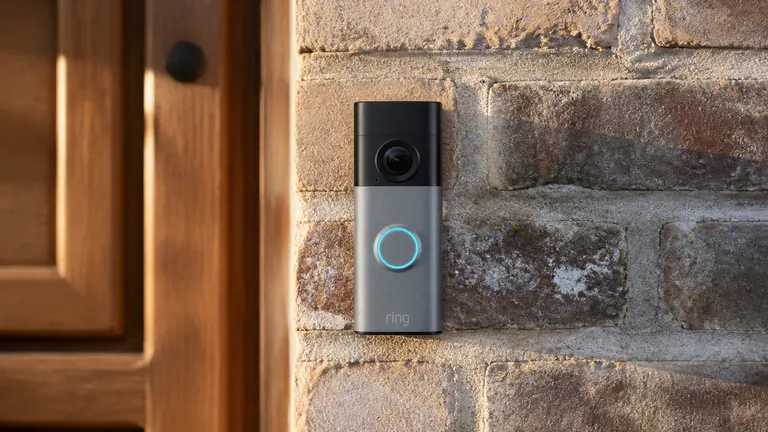
Ring Video Doorbell Review: Battery 2K Plus, Honestly Judged
The Ring Battery Doorbell 2K Plus brings sharper square video and a swappable battery, but owners say the real cost is the subscription you need for saved footage.

Heated Blanket Cost per Hour vs a Space Heater
We work out what a heated throw really costs per hour, compare it to running a space heater, and show when heating just yourself saves real money.
Thermostatic Radiator Valve Zoning: Are the Savings Real?
Smart radiator valves promise room-by-room heating control and lower bills, but the install cost adds up fast. Here is what the numbers really look like.
Comments
No comments yet. Share your experience or ask a question.